
A Complete Guide to Your SCOR Account, Master Wallet, and Game Balances
One Account. One Entry Point. Inside the SCOR Ecosystem

Every user’s journey into the SCOR ecosystem starts the same way, which is a SCOR Account.
This account is the single entry point to everything SCOR offers: gameplay, rewards, identity, and competition. While it’s created using a wallet on Base, your SCOR Account is much more than just a wallet connection.
Let’s break down what your SCOR Account actually is and why it’s designed this way.
What Is a SCOR Account?
When you register on SCOR, you connect a wallet on the Base network. That wallet becomes the foundation of your SCOR Account.
But your SCOR Account goes beyond simple blockchain access. It acts as a unified identity layer that brings together:
- Your Base wallet address
- Your Telegram account
- Your SCOR ID (minted on Base)
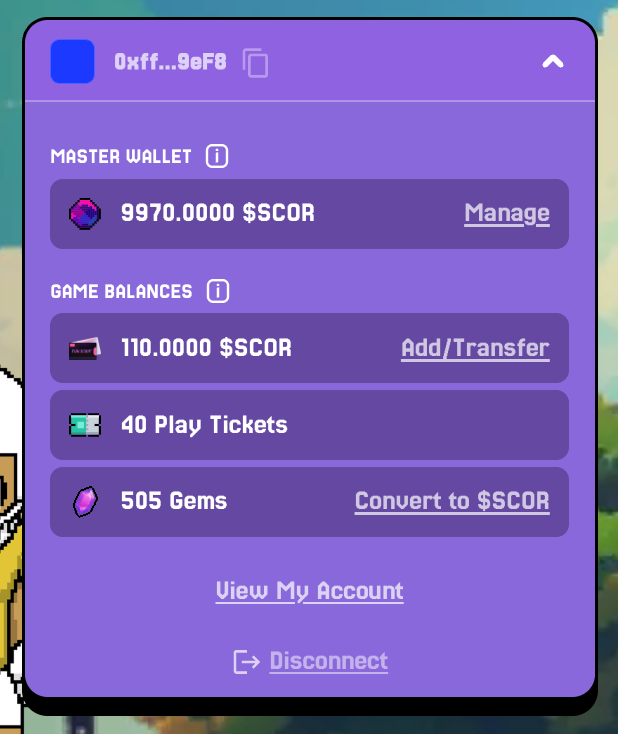
- And your balances inside the ecosystem:
- Master Wallet – reflects the total balance in your wallet
- Game Balances – the $SCOR, Gem and Ticket balances available for use in games
Think of it as your digital passport inside SCOR combining social identity, on-chain ownership, and gameplay access in one place.
At the moment, each SCOR Account can be linked to:
- One Base address
- One Telegram account
This means that you cannot change the connected wallet or Telegram later. If you need to use a different wallet or Telegram account, you’ll need to create a new SCOR Account. This structure keeps identities clean, secure, and non-duplicable across the ecosystem.
Why does a SCOR Account have different balances—the Master Wallet and the Game Balances? Good question, and this part matters.
SCOR separates identity & storage from competitive gameplay. That’s why your account shows two balances, each for a specific use.
Master Wallet: Your Core Identity
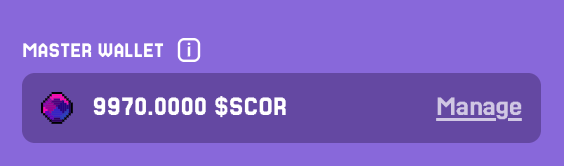
Your Master Wallet is the wallet you connect when you sign in.
This wallet:
- Represents you is the SCOR ecosystem
- Holds your SCOR-ID
- Acts as your main wallet for storing $SCOR
- Is where rewards can ultimately be withdrawn via Polisher
You can think of the Master Wallet as your vault and identity anchor. From here, $SCOR can be moved into your Game Balance whenever you want to participate in competitive modes.
Game Balances: Where Competition Happens
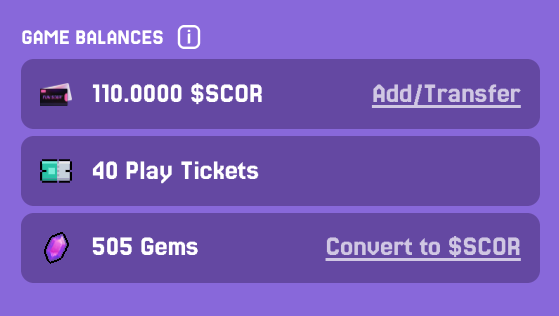
Your Game Balances exist specifically for gameplay and competition. They represents your in-game inventory and includes $SCOR, Gems, and entry tickets, which you use to:
- Pay entry fees when entering Head-to-Head tournaments
- Make in-game purchases (using either $SCOR or Gems)
- Receive winnings from matches
All gameplay-related spending happens only from the Game Balances, keeping competitive activity cleanly separated from your main holdings.
Activating Up Your $SCOR Game Balance
Once your SCOR Account is created, activating your $SCOR Game Balance is quick:
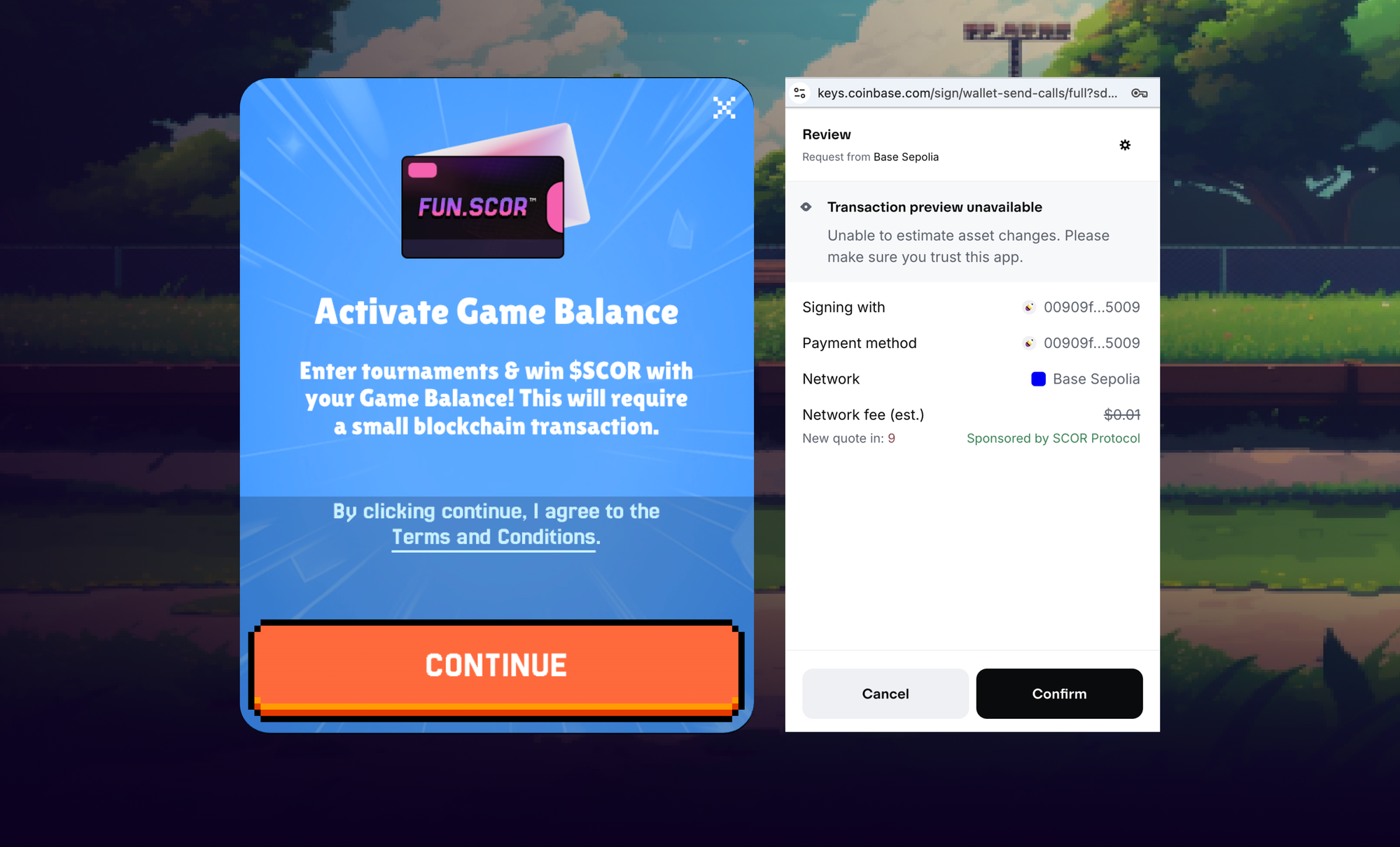
- Open the account menu and select Activate in Game Balance$SCOR
- Review the Terms & Conditions
- Approve a blockchain transaction
- Free if you’re using Base Wallet (Scor is covering the gas fees for you)
- Minimal gas fee for other EVM wallets
- Once confirmed, your $SCOR Game Balance is ready.
That’s it.
Access to Your Account When Using Social Login
If you created your SCOR account using Gmail, Apple, Facebook, or any other social login option, a Base wallet is automatically generated for you, since every SCOR account must be tied to a Base wallet. In this case, you still have full ownership of your non-custodial wallet.
To access it, click Manage in the Master Wallet section and export your private key. See a detailed instruction in the docs.
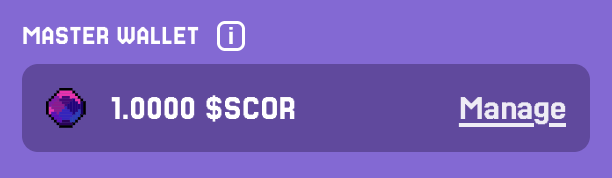
Please note that SCOR does not have access to your newly created Base wallet and does not store any credentials. You have full control over it, and only you.
Adding $SCOR to Your Game Wallet
To use $SCOR in head-to-head tournaments and other competitive modes, you’ll need to add $SCOR to your Game Balance. There are two ways to fund it, both available by clicking Add/Transfer next to your $SCOR Game Balance.
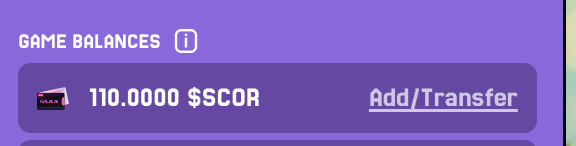
Option 1: Buy $SCOR on an Exchange
You can purchase $SCOR on supported exchanges (such as Bybit, Gate, or KuCoin) and transfer it directly to your Game Balance.
Option 2: Transfer from Your Master Wallet
If you already hold $SCOR in your Master Wallet (from rewards, Gems conversion, or previous activity), you can move it internally:
- Open your Game Balance
- Select Transfer from Wallet
- Enter the amount and confirm
Transfers usually complete quickly, depending on network conditions.
Withdrawing $SCOR
Winnings earned through gameplay don’t get locked in. You can withdraw $SCOR from your Game Balance back to your Master Wallet at any time.
Just:
- Open your Game Balance
- Enter the amount
- Choose Withdraw
- Approve the transaction
Standard network gas fees apply, depending on your wallet.
Conclusion
To sum up, there is a single entry point into SCOR: your SCOR Account. It brings together your wallet, Telegram account, and SCOR-ID into one unified identity.
Each SCOR Account is linked to one Base wallet and one Telegram account by design. Within it, two types of balances serve distinct roles: the Master Wallet secures your identity and assets, while the Game Balances are purpose-built for gameplay, competition, and rewards.
This structure keeps things simple, secure, and ready to scale, so you can focus on what really matters.
Jump in, compete, and enjoy the game.
